Why movies on your TV look unnatural: how to disable the 'soap opera effect'
Motion smoothing settings on modern Smart TVs often distort the cinematic experience. Here is how to restore original image quality.
 💡Tech
Photo: UNIAN
Key points
- The soap opera effect is caused by Motion Smoothing.
- Movies are filmed at 24-30 fps, which conflicts with 60+ Hz screens.
- Cinema mode automatically disables smoothing on most models.
- The feature should be kept on for sports broadcasts.
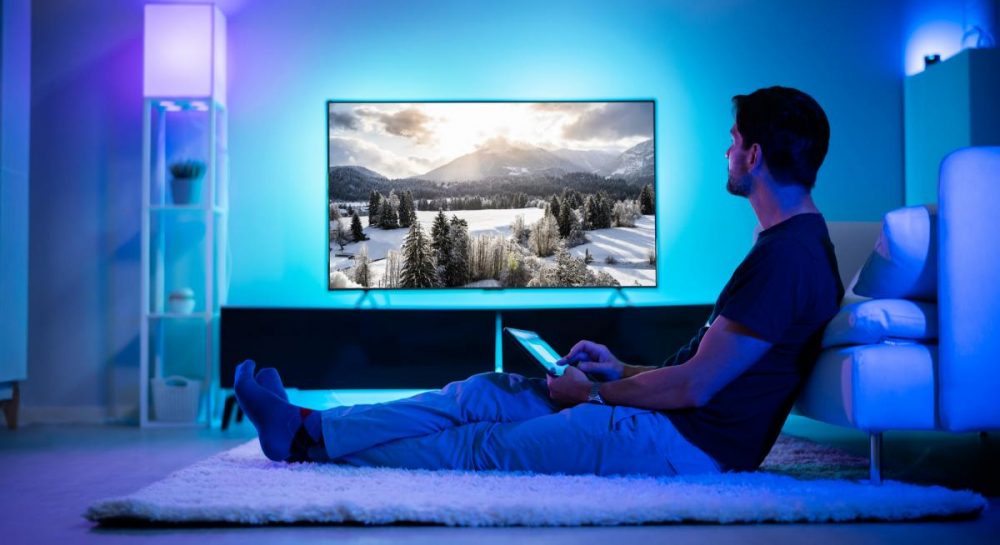
Many modern TV owners notice that when watching movies, actors' movements look overly smooth, creating the impression of a cheap television production. This phenomenon, known as the "soap opera effect," is caused by frame interpolation, a feature enabled by default on most devices.
Why the problem occurs
Cinematic content is traditionally produced at 24 or 30 frames per second. However, modern high-refresh-rate screens attempt to "fill in" missing frames to make the image appear smoother. While this is beneficial for sports broadcasts, it destroys the director's intent in feature films.
How to adjust your TV
To eliminate artificial smoothness, experts recommend switching the picture profile to "Cinema" or "Movie" mode. If this does not help, you must manually find settings related to Motion, Action, or smoothing. For Samsung TVs, this is the "Picture Clarity" setting, while LG uses TruMotion. It is important to remember that this feature should only be activated during sports events, where motion dynamics are key.
Source UNIAN — unian.ua/techno/gadgets/yak-pribrati-efekt-milnoji-operi-na-televiz… ↗
Read next
 🇺🇦Ukraine
Tragedy in Afghanistan: School Explosion Results in Multiple Casualties
In Kunar province, an explosion at a school left 10 people dead, mostly children. The likely cause is identified as negligent storage of explosive materials nearby.
 🛡️Security
Army financing: why there is a shortage of funds for military payments
Experts explain the lack of funds for military salaries by delays in international aid and the need for urgent weapons purchases from the state budget.
 🛡️Security
23 more Ukrainians return from occupation: stories of rescuing vulnerable groups
The Ukrainian Parliament Commissioner for Human Rights, Dmytro Lubinets, announced the successful return of 23 citizens from temporarily occupied territories.
 🧠AI Analysis
Climate Change: Lightning strikes could double by 2100
Scientists predict a significant increase in the frequency of lightning strikes due to global warming, posing new risks to infrastructure and forests.
 🛡️Security
Night attack on Odesa: residential building damaged, casualties reported
Russian forces launched a drone strike on Odesa on the night of November 29, hitting a residential high-rise. Emergency services and an operational headquarters are provi…
 🛡️Security
Night attack on Odesa: residential building damaged, casualties reported
Russian forces struck Odesa on the night of November 29, damaging a high-rise residential building. Emergency services and an operational assistance headquarters are work…